Labelling guidelines are the specification for your dataset. Annotators who read the same guidelines should label the same item the same way, and when they do not, the gap is almost always in the document rather than in the people. The generator above walks through the six parts every set of guidelines needs, suggests the standard rules for your annotation type, and exports a Word or PDF file you can attach to a custom data request as it is.
What good guidelines do
Guidelines remove decisions from the labelling. Every time an annotator has to guess what you meant, two annotators will guess differently, and the disagreement ends up in your training data as noise. The job of the document is to make those calls in advance: what each label means, what sits just outside it, and what to do with the items that fit nothing cleanly.
They also make the work repeatable. A dataset labelled from written guidelines can be extended next quarter by a different team, audited against the rules it was built under, and documented for a model card or an EU AI Act datasheet. A dataset labelled from a kick-off call cannot.
The six parts, and what goes in each
The generator follows the structure in our guide to writing labelling guidelines, which is also what our annotation team works from when a request comes in.
| Part | What to write | The usual gap |
|---|---|---|
| 1. Goal and use case | One or two sentences on what the data is for, and which way to lean when unsure. | No stated bias, so annotators split on borderline items. |
| 2. Label set | Every label with a definition, what to include and what to exclude. | Label names treated as self-explanatory. |
| 3. Examples | Clear cases, edge cases and near-misses for each label, plus a small gold set. | Only easy examples. |
| 4. Ambiguity rules | Overlapping labels, low-quality items, an “unsure” option, out-of-scope items. | Left to each annotator’s judgement. |
| 5. Format and taxonomy | Annotation type, granularity, output format and field names. | Discovered at delivery, when the loader fails. |
| 6. Quality and compliance | An agreement or accuracy target, the review method, sensitive-data handling. | No target, so no way to accept or reject a batch. |
Write definitions annotators can apply
A definition is good when two people can apply it to the same item without talking to each other. That usually means saying what the label is in one sentence, then spending most of the space on the boundary: what counts even though it looks unusual, and what does not count even though it looks right. The include and exclude fields in the generator exist for that boundary.
Examples do more work than any definition. For each label, show a couple of obvious cases, then the hard ones: the borderline item and how you want it handled, and the near-miss that should not get the label. For image and video work, an annotated example next to a wrong one settles more arguments than a paragraph. If you can label 10 to 20 items yourself and attach them as a gold set, annotators calibrate against your judgement rather than their reading of your prose.
- Name labels as they should appear in the output.
empty_slot, not “Empty slot (gap)”. - Keep labels mutually exclusive unless several per item are allowed, and say which.
- Give the reason behind a rule when it is not obvious. Annotators extend reasons to new cases; they cannot extend bare rules.
Decide the edge cases before anyone labels
Most disagreement comes from a handful of situations that recur in every project: an item that fits two labels, an item too blurry or partial to judge, an item that belongs to none of your categories. Decide each once, in writing. A priority order between labels, a rule for low-quality items and a clear policy on an “unsure” option remove most of the noise on their own.
The generator adds suggested rules for the annotation type you choose: box tightness and occlusion for bounding boxes, span boundaries for named entities, criteria order for preference ranking. They are common conventions rather than requirements, so untick any that do not fit your project. Rules you add yourself appear under them, one per line.
Test them on a pilot batch
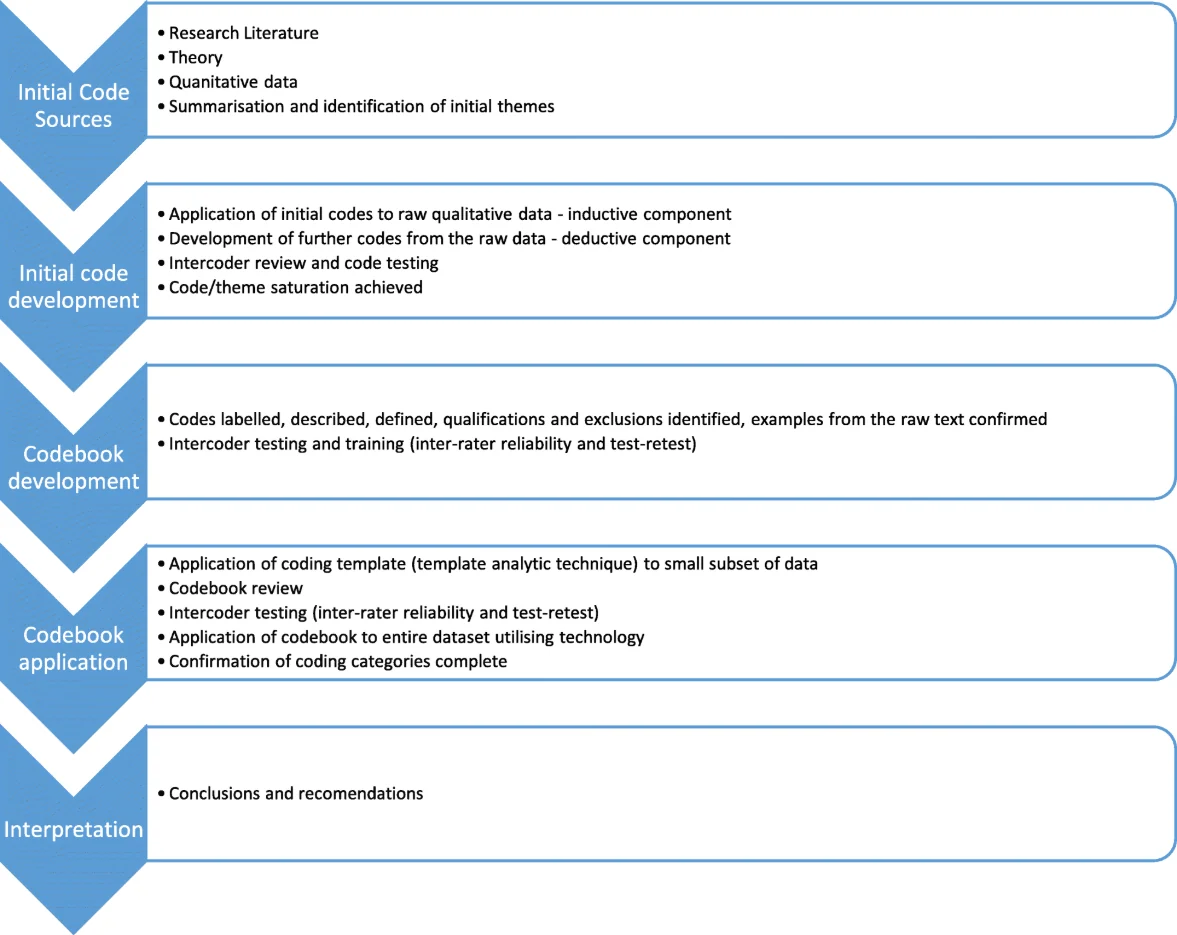
Guidelines are a hypothesis until two people have used them. Before the full run, have two annotators label the same 50 to 100 items independently and measure how often they agree. Our Cohen’s kappa calculator takes the two sets of labels and shows which pair of labels gets confused most, which is usually the definition to rewrite.
Fix the document, not the annotators. When agreement is low, add the disputed items as examples, sharpen the two definitions involved and run the pilot again. When a custom request is ordered through Dataset Finder, the first test batch, which usually comes back within about 48 hours, exists for exactly this reason: you correct the guidelines before the volume goes through.
From guidelines to an order
When the document is ready, download it as Word or PDF. In Dataset Finder, start a custom data request, choose the data type and use case, and attach the file: the request form takes PDF, Word or ZIP files up to 20 MB, so a ZIP with the guidelines and your gold-set examples works too. If your data is already in Label Studio, CVAT, Labelbox, Encord or a similar tool, say so in the generator's platform field and annotators can work inside your project.
To see what the request will cost first, the annotation cost estimator link in the generator carries over your data type, annotation type, number of labels and volume, so the estimate starts from what you just wrote.
Questions people ask
How long should annotation guidelines be?
As short as they can be while still settling the cases that come up. For a simple classification task, two or three pages with examples is typical; detailed segmentation or medical work runs longer. Length matters less than whether every label has a boundary and every recurring edge case has a rule.
Should I show examples of wrong annotations?
Yes. A correct example next to the common mistakes (a box that is too loose, a span that swallows punctuation, a label applied to a near-miss) teaches the boundary faster than any description.
What file format do annotators need?
Whatever your vendor accepts. The generator exports Word (.docx) and PDF, which the Dataset Finder request form accepts, plus Markdown for a repository. Your draft stays saved in this browser, so you can come back and edit it later.
Is my draft stored anywhere?
Only in your own browser. The generator runs on the page: the draft is saved to this browser’s local storage so you can come back to it, and nothing is sent to a server until you choose to attach the file to a request.
How do I know the guidelines work?
Measure agreement on a pilot. Two annotators label the same sample independently; Cohen’s kappa above about 0.8 is a common target for production labelling, and the pairs of labels they confuse show where the document needs work.
Can I reuse the same guidelines with another vendor?
Yes, and you should. Guidelines that live in a document rather than in one vendor’s tool let you compare providers on the same specification and extend the dataset later without re-explaining the task.