Pascal VOC's challenge ended over a decade ago, but its annotation format did not. Plenty of annotation tools still write it by default, and plenty of older datasets have never been converted, so it remains something you have to be able to read.
One XML file per image
Where COCO puts an entire dataset in one JSON document, VOC puts each image's annotations in its own XML file named after the image. That makes it pleasant to edit by hand and to diff in version control, and unpleasant to load at scale — a hundred thousand images means a hundred thousand file opens.
Boxes are corner-based absolute pixels: xmin, ymin, xmax, ymax. The original VOC data is one-indexed, meaning a box flush against the left edge has xmin of 1 rather than 0. Most modern tools write zero-indexed values anyway. The one-pixel difference rarely matters for training and does matter if you are trying to reproduce a published number exactly.
<annotation>
  <folder>VOC2012</folder>
  <filename>000001.jpg</filename>
  <size>
    <width>640</width><height>480</height><depth>3</depth>
  </size>
  <segmented>0</segmented>
  <object>
    <name>car</name>
    <pose>Frontal</pose>
    <truncated>0</truncated>
    <difficult>0</difficult>
    <bndbox>
      <xmin>132</xmin><ymin>205</ymin><xmax>204</xmax><ymax>295</ymax>
    </bndbox>
  </object>
</annotation>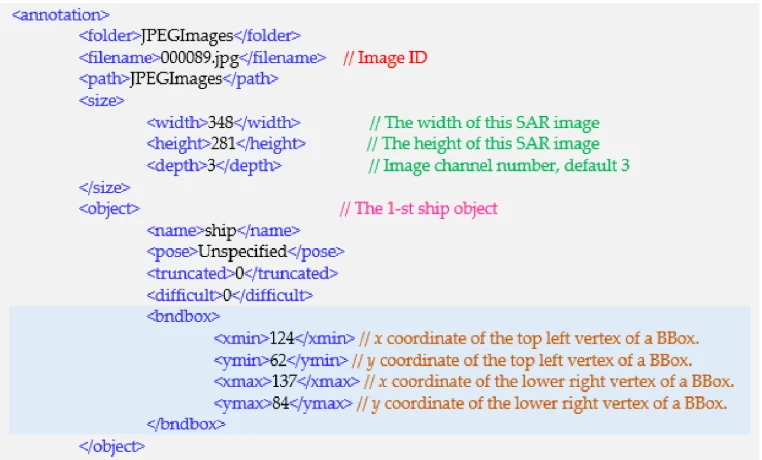
difficult changes your numbers, truncated does not
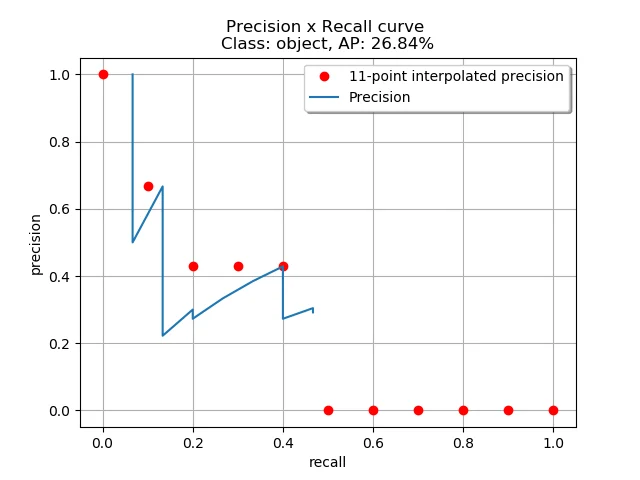
Two per-object flags matter, and one of them carries real evaluation weight. difficult marks an object the annotators judged unreasonably hard — tiny, heavily occluded, barely visible. The official VOC protocol excludes difficult objects from evaluation entirely: a detection on one is neither a true nor a false positive.
This is why the same model can report two different mAP figures on the same VOC data. If your pipeline treats difficult objects as ordinary ground truth, you are measuring something harder than the published benchmark and your numbers will look worse than they are. Decide which convention you are using, and write it down next to the result.
truncated means the object runs off the edge of the image. It does not affect standard evaluation, but it is useful for filtering when you are building a clean set.
Converting VOC to COCO
The conversion is mechanical: walk the XML files, collect a class list, assign ids, and translate corners to [x, y, w, h]. The decisions that matter are what you do with difficult and whether you are correcting the one-indexing.
import os, glob, json, sys
import xml.etree.ElementTree as ET

voc_dir, out_file = sys.argv[1], sys.argv[2]
keep_difficult = "--keep-difficult" in sys.argv

images, annotations, cat_ids = [], [], {}
ann_id = 0

for img_id, xf in enumerate(sorted(glob.glob(os.path.join(voc_dir, "*.xml"))), 1):
    r = ET.parse(xf).getroot()
    size = r.find("size")
    W, H = int(size.find("width").text), int(size.find("height").text)
    images.append({"id": img_id, "file_name": r.find("filename").text,
                   "width": W, "height": H})

    for obj in r.findall("object"):
        diff = int((obj.findtext("difficult") or "0"))
        if diff and not keep_difficult:
            continue
        name = obj.find("name").text.strip()
        cat_ids.setdefault(name, len(cat_ids) + 1)
        b = obj.find("bndbox")
        # VOC is 1-indexed; subtract 1 to land in COCO's 0-indexed pixel space
        x0 = float(b.find("xmin").text) - 1
        y0 = float(b.find("ymin").text) - 1
        x1 = float(b.find("xmax").text)
        y1 = float(b.find("ymax").text)
        x0, y0 = max(0.0, x0), max(0.0, y0)
        x1, y1 = min(float(W), x1), min(float(H), y1)
        w, h = x1 - x0, y1 - y0
        if w <= 0 or h <= 0:
            continue
        ann_id += 1
        annotations.append({"id": ann_id, "image_id": img_id,
                            "category_id": cat_ids[name],
                            "bbox": [x0, y0, w, h], "area": w * h,
                            "iscrowd": 0, "voc_difficult": diff})

json.dump({"info": {"description": f"converted from {voc_dir}"},
           "images": images, "annotations": annotations,
           "categories": [{"id": i, "name": n} for n, i in cat_ids.items()]},
          open(out_file, "w"), indent=1)
print(f"{len(images)} images, {len(annotations)} annotations, {len(cat_ids)} classes")
Where you will still run into it
Three places, mainly. Annotation tools — several desktop labelling applications write VOC XML as their native or default export, so data coming back from a manual labelling pass often arrives this way. Older published datasets, which were released against the VOC protocol and never restructured. And internal pipelines built when VOC was the default, which keep emitting it because everything downstream expects it.
None of that is a reason to adopt it for something new. For a new dataset, COCO for detection and segmentation or a columnar format for scale will both serve you better. VOC is a format to read fluently, not one to choose.
Questions people ask
Is VOC XML one-indexed or zero-indexed?
The original VOC releases are one-indexed. Most contemporary annotation tools write zero-indexed coordinates into the same schema without saying so. If you need to reproduce a published VOC number, check a box that touches the image edge: an xmin of 1 suggests the original convention, 0 suggests the modern one, but LabelImg, the classic desktop VOC tool, clamps any coordinate below 1 to 1, so its files show 1 at the edge too.
Does VOC support segmentation masks?
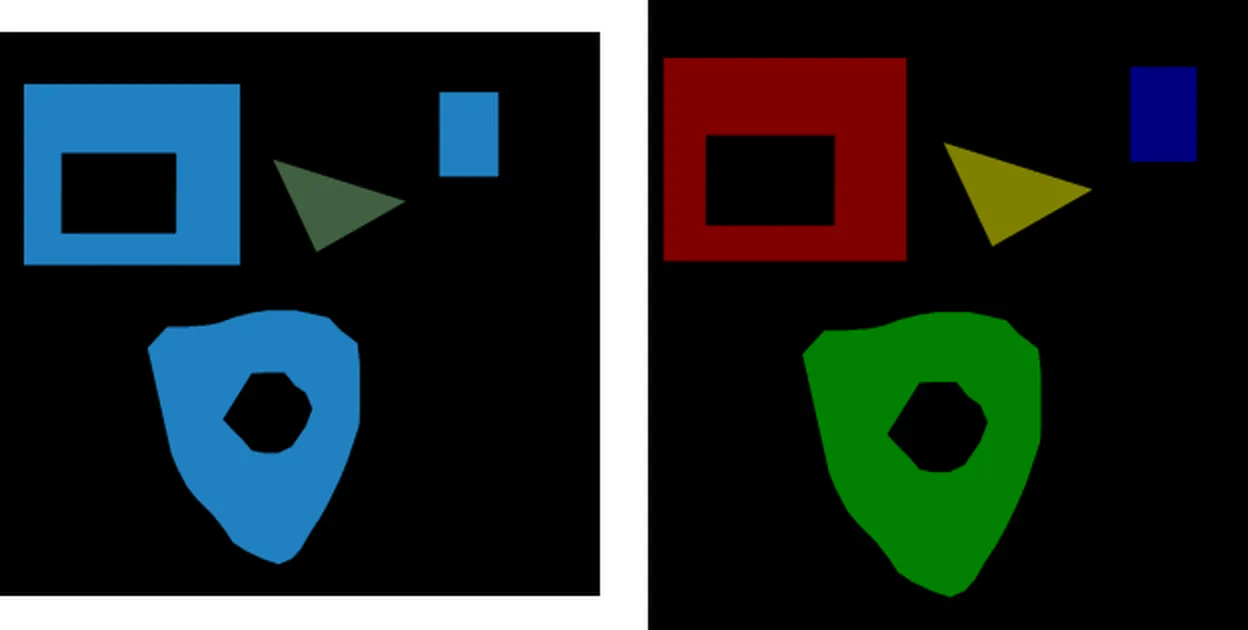
Indirectly. The segmented flag says whether a mask exists, and the masks live as separate PNG files in SegmentationClass and SegmentationObject directories, indexed by colour. The XML itself carries no polygon data.
What does the pose field mean?
It records the object's rough orientation — values like Frontal, Rear, Left, Right or Unspecified. It was part of the original challenge's annotation richness and is ignored by essentially all modern training code, but it survives in files and can be a useful filter.
Which is better for a new project, VOC or COCO?
COCO, in nearly every case. It handles segmentation natively, supports keypoints and captions over the same images, keeps the whole dataset in one document, and has far wider loader support. Choose VOC only when a tool you cannot replace demands it.